How to Upload an Image to ChatGPT & Ask Questions About It

In the last 10 years, Olena has been published in dozens of publications internationally and written hundreds of how-to articles and complex guides about Apple products, software, and apps.
Learn More In the last 10 years, Olena has been published in dozens of publications internationally and written hundreds of how-to articles and complex guides about Apple products, software, and apps.
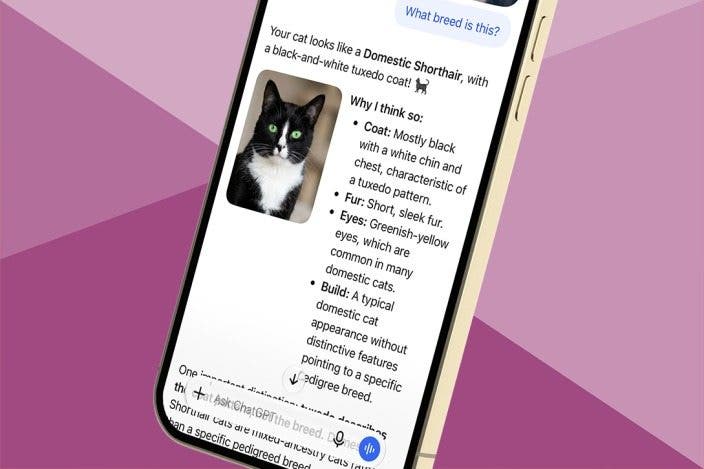
Learn MoreApple has its own artificial intelligence called Apple Intelligence, but there are other AI apps that you can use, like ChatGPT. You can have ChatGPT analyze an image and answer any questions you may have about it. Here's how to upload images to ChatGPT.
Why You'll Love This Tip
- Take a photo and use ChatGPT to learn more about it.
- ChatGPT can be used to answer questions and generate information about the contents of a photograph.
How to Upload a Picture to ChatGPT
System Requirements
This tip was performed on an iPhone 15 Pro running iOS 27.2. Find out how to update to the latest version of iOS.
Apple has its own version of this feature called Visual Intelligence, and the first time you try it out, you will see several informational pop-ups that teach you how everything works. ChatGPT is a chatbot that works like Siri but communicates using human language. Here's how to upload a picture to ChatGPT and get answers and generate information about the contents of your photo:
- Open the ChatGPT app.
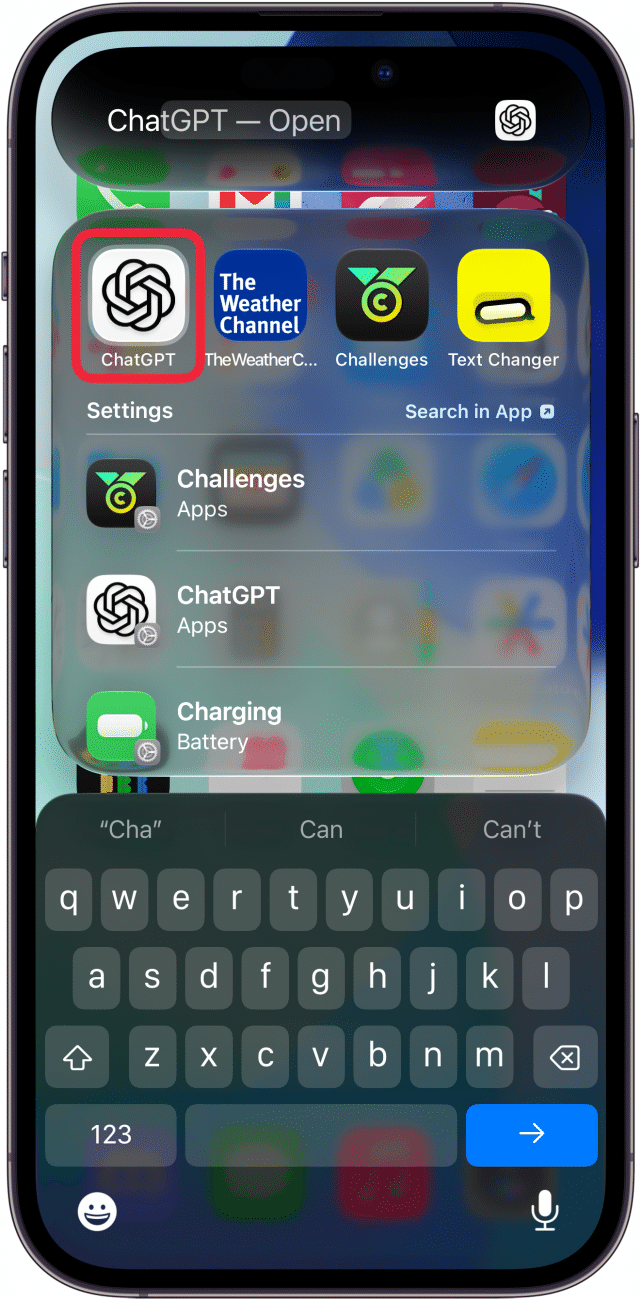
- Tap the plus icon.
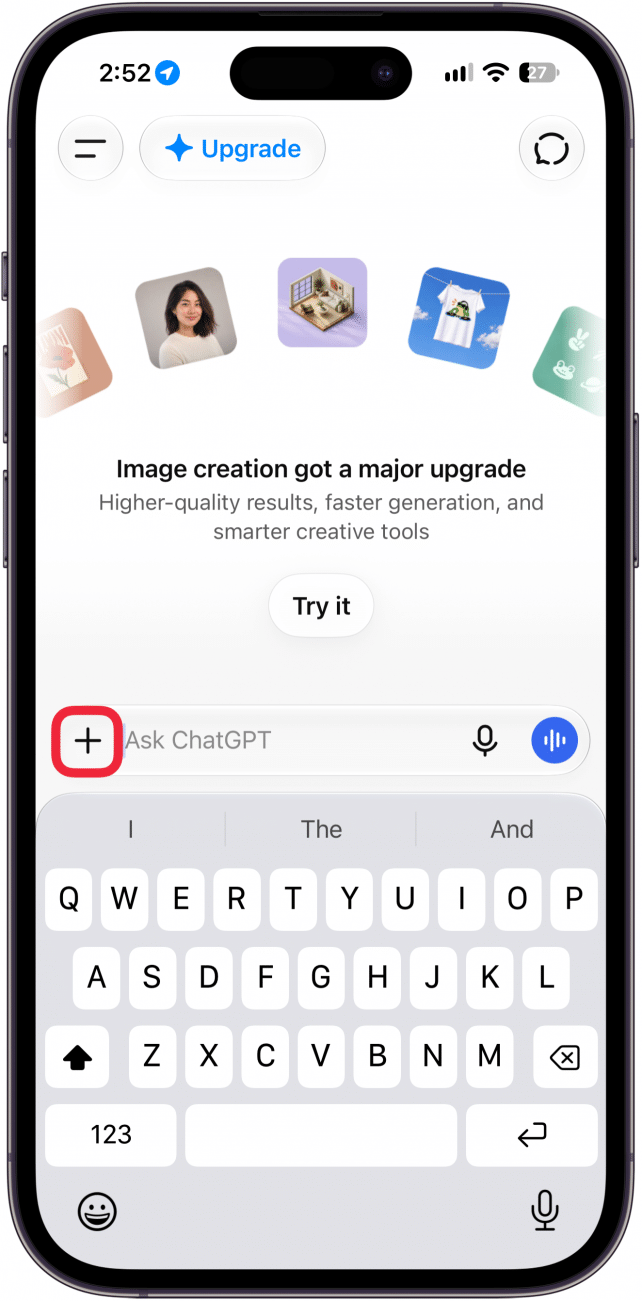
- Tap Camera to ask ChatGPT about something right in front of you, or Photos to upload a photo you previously captured. For this example, I'm going to use the Camera.
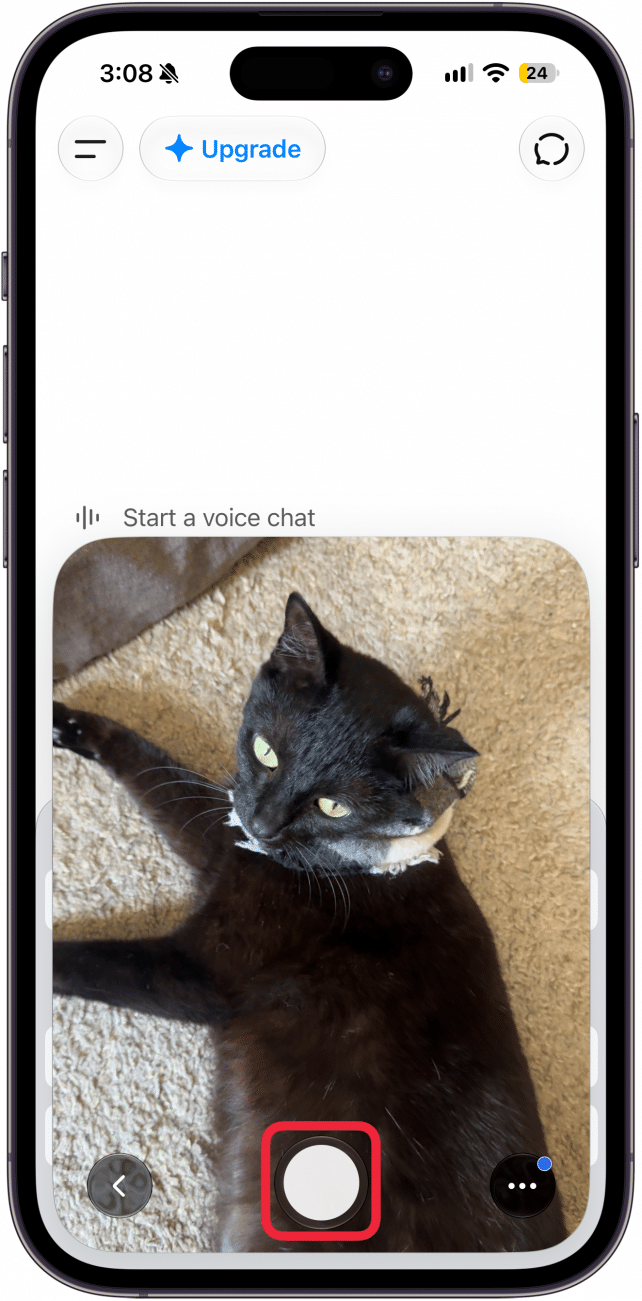
- Once you see what you wish to research on your display, tap the shutter icon
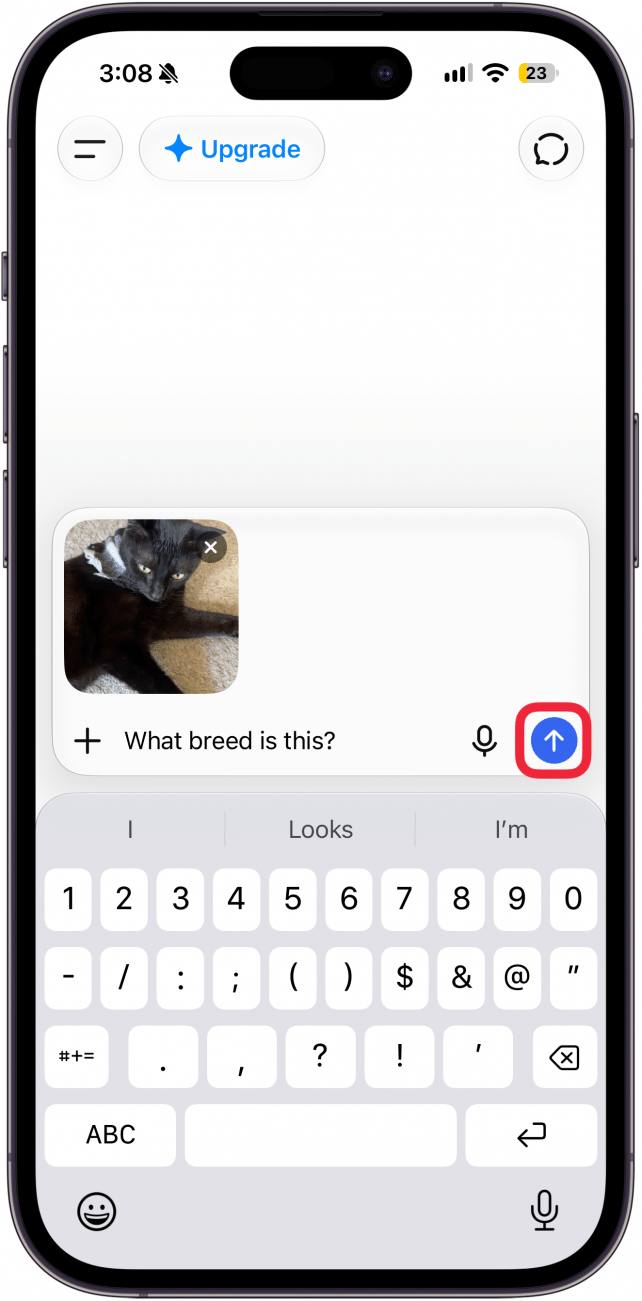
- Type a question or communicate with ChatGPT about the photograph, and tap the arrow up icon to send your request.
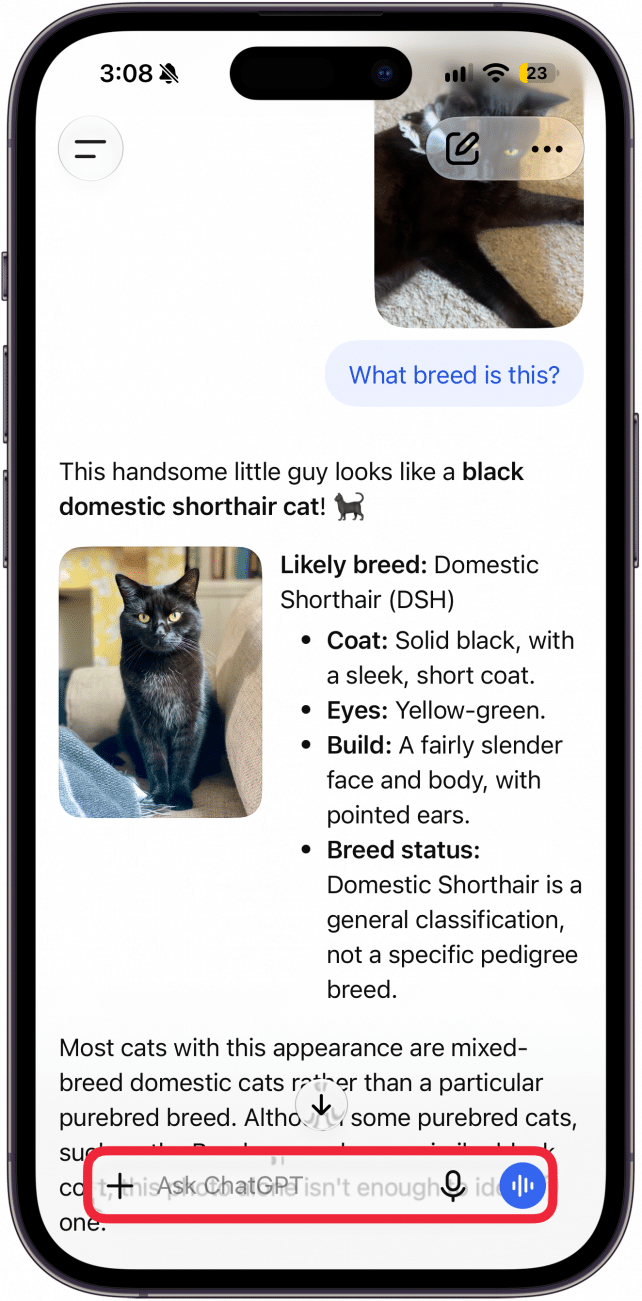
- You can tap the text field to keep asking more questions to generate more or different information.
Pro Tip
The key to making the most out of ChatGPT is using good prompts. It can take some trial and error to learn how to communicate with ChatGPT successfully so that you can get the results you need.
That's how to upload an image to ChatGPT to learn more about a photo you’ve taken. This can be used to learn more about an object or subject, like finding out the breed of an animal or discovering the history of a building. Next, learn how to proofread your text with the Apple Intelligence Writing Tools feature.
More On: Apple Intelligence

Every day, we send useful tips with screenshots and step-by-step instructions to over 600,000 subscribers for free. You'll be surprised what your Apple devices can really do.

Olena Kagui
Olena Kagui is a Feature Writer at iPhone Life. In the last 10 years, she has been published in dozens of publications internationally and won an excellence award. Since joining iPhone Life in 2020, she has written how-to articles as well as complex guides about Apple products, software, and apps. Olena grew up using Macs and exploring all the latest tech. Her Maui home is the epitome of an Apple ecosystem, full of compatible smart gear to boot. Olena’s favorite device is the Apple Watch Ultra because it can survive all her adventures and travels, and even her furbabies.
 Leanne Hays

 Rhett Intriago

 Amy Spitzfaden Both
 Rachel Needell

 Hal Goldstein



 Olena Kagui